Optimizing FSLogix storage costs in Azure
This guide provides technical, actionable steps to reduce profile bloat and minimize monthly Azure spend without compromising user performance.
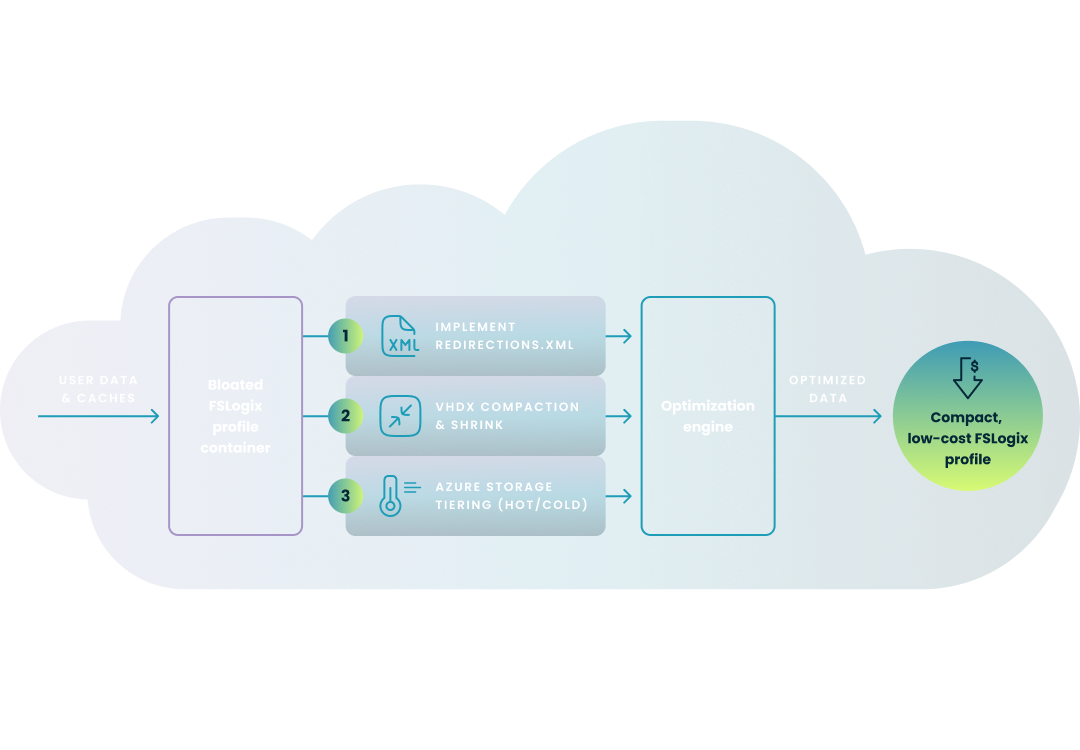
Carisa Stringer | December 15, 2025
Optimizing FSLogix storage costs in Azure is a critical discipline for enterprise IT professionals managing Azure Virtual Desktop (AVD). As user profiles expand—driven largely by Microsoft 365 caches, Teams data, and web content—storage expenses can scale unpredictably.
Effective cost control requires a multi-layered strategy: enforcing precise profile exclusions, implementing automated VHDX compaction to reclaim "white space," and selecting the correct Azure storage tier.
Storage costs in Azure Virtual Desktop environments often spiral due to the "bloat" factor inherent in modern applications. While FSLogix is critical for ensuring a consistent user experience by roaming profiles in non-persistent environments, its containers (VHD/VHDX files) often capture far more data than is necessary.
Visualizing the "Cost Stack"

As the chart above illustrates, your monthly bill is rarely driven by essential user data alone. Instead, it is a stack of compounded inefficiencies:
The following sections of this guide will detail exactly how to dismantle this stack—layer by layer—to achieve the optimized state shown on the right.
The most effective way to lower costs is to prevent data from entering the profile container in the first place. You can achieve this by configuring a Redirections.xml file to force specific folders to be stored on the local temporary disk rather than the persistent network profile.
Preventing growth is step one; reclaiming existing space is step two. Since VHDX files do not shrink automatically on their own, you must actively manage "white space."
Selecting the right storage backend is a balance between IOPS performance (User Experience) and cost per GiB.
Note: As of 2025, Microsoft has released Premium Plus tier and enhanced Provisioned v2 billing for greater flexibility in capacity and IOPS provisioning.
Manual optimization is unsustainable in enterprise environments. Automation is the key to maintaining a "clean" storage environment without constant administrative overhead. Automating the right-sizing of AVD images is the process of using real-world performance data to ensure session host virtual machines are provisioned with the optimal amount of resources, eliminating wasted spending on oversized VMs.
This step-by-step wizard tool gives you the total cost of ownership for AVD in your organization.
Nerdio Manager for Enterprise replaces manual PowerShell maintenance with purpose-built automation designed specifically for AVD and FSLogix.
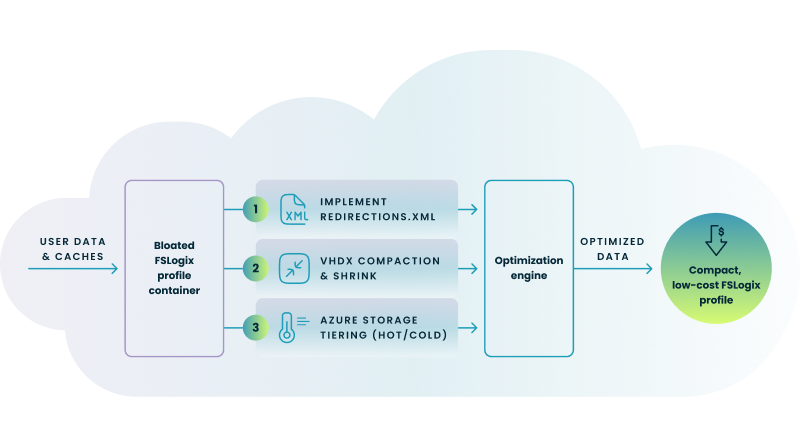
Understanding the Automated Workflow
As illustrated in the diagram above, Nerdio approaches cost optimization as a continuous, three-stage lifecycle rather than a one-time fix:
This automated architecture delivers the following capabilities:
This video provides a practical walkthrough of cost-reduction strategies in Azure Virtual Desktop, including a specific demonstration of the "Shrink FSLogix Profiles" automation referenced in the guide.
See this demo to learn how you can optimize processes, improve security, increase reliability, and save up to 70% on Microsoft Azure costs.

See how you can optimize processes, improve security, increase reliability, and save up to 70% on Microsoft Azure costs.

Optimizing Blob Storage costs primarily involves implementing Lifecycle Management policies to automatically move infrequently accessed data from Hot to Cool or Archive tiers. Additionally, you should regularly identify and delete unused data, such as old snapshots or "orphaned" disks, and consider reserving capacity for predictable workloads to secure significant discounts.
Azure Storage Cost Optimization is the continuous process of monitoring, analyzing, and adjusting your storage resources to minimize expenses without sacrificing performance or reliability. It involves rightsizing storage capacity, selecting the appropriate access tiers (Hot, Cool, or Archive) based on usage patterns, and automating the cleanup of unneeded data to ensure you only pay for what you use.
Azure offers several storage services tailored to specific data types, including Azure Blobs for unstructured object data, Azure Files for fully managed serverless file shares (SMB/NFS), and Azure Managed Disks for virtual machine block storage. For more specialized needs, Azure also provides Azure Queues for messaging between application components and Azure Tables for storing structured NoSQL data.
For multi-session workloads, the D-series (specifically the D8s_v5 or D16s_v5) is widely considered the "sweet spot," offering a balanced ratio of CPU to memory that typically supports around 16–32 users per VM depending on the workload intensity. For compute-intensive applications, the F-series may provide better performance, while the E-series is recommended for memory-heavy user profiles that require larger caches.
Carisa Stringer
Head of Product Marketing
Carisa Stringer is the Head of Product Marketing at Nerdio, where she leads the strategy and execution of go-to-market plans for the company’s enterprise and managed service provider solutions. She joined Nerdio in 2025, bringing 20+ years of experience in end user computing, desktops-as-a-service, and Microsoft technologies. Prior to her current role, Carisa held key product marketing positions at Citrix and Anthology, where she contributed to innovative go-to-market initiatives. Her career reflects a strong track record in driving growth and adoption in the enterprise technology sector. Carisa holds a Bachelor of Science in Industrial Engineering from the Georgia Institute of Technology.