

"Hero" module with blue
This is the homepage hero module. This would not be used on other pages. Using ** before and after words in the headline make them blue.


Optional Eyebrow
"Header" module with blue
Optional Text. Note the "Eyebrow" can be set as the h1 if desired. See image notes for tips on image size.
Optional Eyebrow
"Stacked Header" module
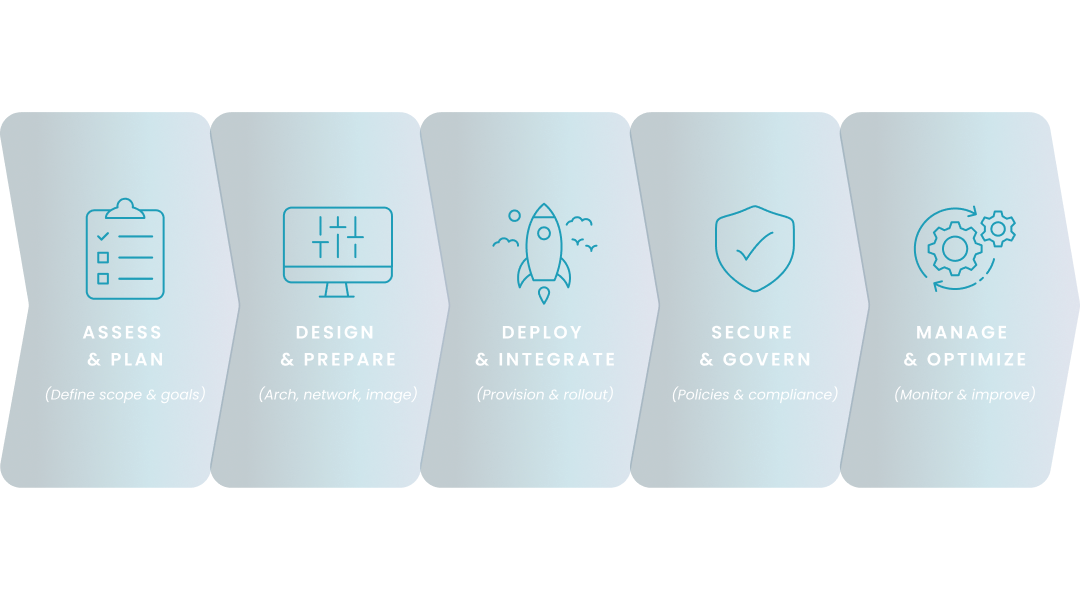
Optional Text. Note the "Eyebrow" can be set as the h1 if desired. See image notes for tips on image size.
Optional Eyebrow
"Mini Header" module with image
Optional Text. Note the "Eyebrow" can be set as the h1 if desired.
Optional Eyebrow
"SEO Header" module
This is a good option when you want a wider hero image. There is a toggle to not display the date if used on non-SEO pages.


"Customer Story Hero" module
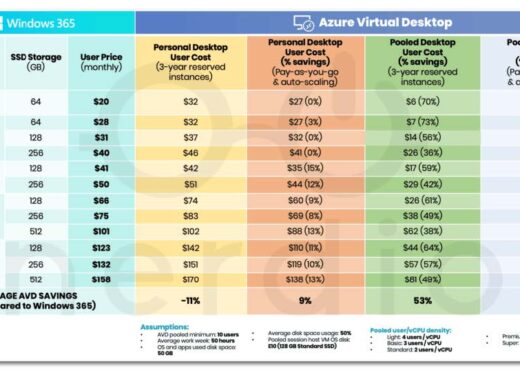
Lorem ipsum dolor sit amet, consectetur adipiscing elit. Nunc, luctus leo et etiam tristique sollicitudin elit leo proin. Vitae libero. Lorem ipsum dolor sit amet, consectetur adipiscing elit. Nunc, luctus leo et etiam tristique sollicitudin elit leo proin. Vitae libero.
Optional eyebrow
"Text Media" module
This is a very common way to display content on an informational page. You can choose which side you want the image on under Layout.
- Bullet 1
- Bullet 2
Optional eyebrow
"Text Media" module
This is a very common way to display content on an informational page.
- Bullet 1
- Bullet 2
This is an h2 which you would use for a section headline.
This is the "paragraph" style.
Here is an example of what bullets look like:
- Bullet 1
- If needed
- If needed
- Bullet 2
- Bullet 3
Here is an example of what a numbered list looks like:
- Bullet 1
- Bullet 2
- Bullet 3
This is an h3 which you would use for a sub-section headline.
This is an h4 which you would use if you needed a headline for a subsection below the h3 headline.
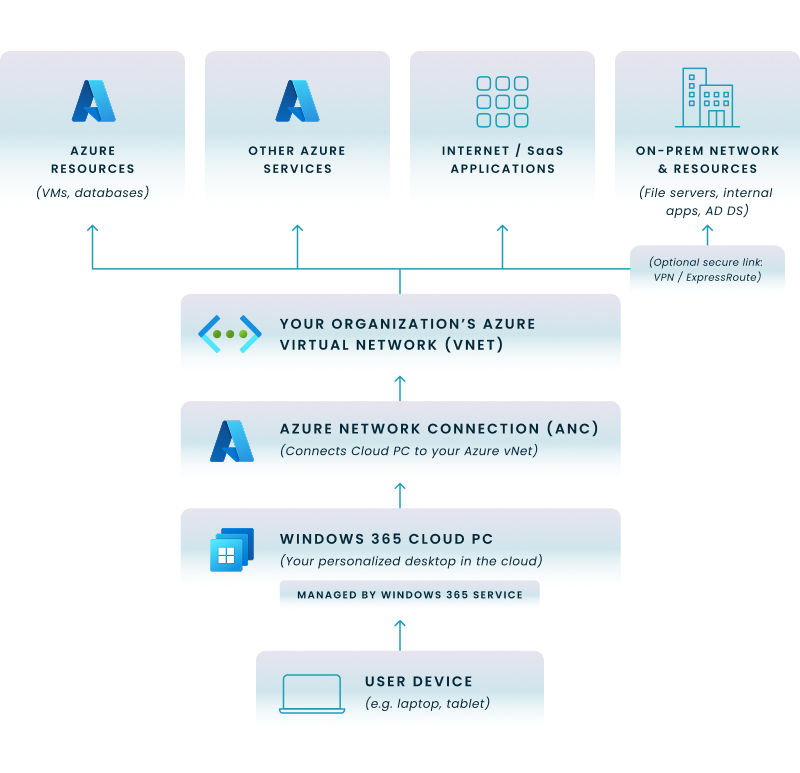
You can also insert an image by selecting "Add Media" above. You can choose the size (most often full width and centered" by clicking on the edit symbol.

Card headline
Descriptive text - you can choose how many columns you want in the Layout section. Most common is 3 column but it will depend on how many items you have.

Card headline
Descriptive text - you can choose how many columns you want in the Layout section. Most common is 3 column but it will depend on how many items you have.
Card headline
Descriptive text - you can choose how many columns you want in the Layout section. Most common is 3 column but it will depend on how many items you have.

Card headline
Descriptive text - you can choose how many columns you want in the Layout section. Most common is 3 column but it will depend on how many items you have.
Card headline
Descriptive text - you can choose how many columns you want in the Layout section. Most common is 3 column but it will depend on how many items you have.
Card headline
Descriptive text - you can choose how many columns you want in the Layout section. Most common is 3 column but it will depend on how many items you have.
Card headline
Descriptive text - you can choose how many columns you want in the Layout section. Most common is 3 column but it will depend on how many items you have.
Card headline
Descriptive text - you can choose how many columns you want in the Layout section. Most common is 3 column but it will depend on how many items you have.


Lorem ipsum
Lorem ipsum dolor sit amet, consectetur adipiscing elit. Nunc, luctus leo et etiam tristique sollicitudin elit leo proin. Vitae libero.
Lorem ipsum
Lorem ipsum dolor sit amet, consectetur adipiscing elit. Nunc, luctus leo et etiam tristique sollicitudin elit leo proin. Vitae libero.
Lorem ipsum
Lorem ipsum dolor sit amet, consectetur adipiscing elit. Nunc, luctus leo et etiam tristique sollicitudin elit leo proin. Vitae libero.

CTA text goes here?
CTAChallenge
- Lorem ipsum dolor sit amet, consectetur adipiscing elit. Morbi sit amet lorem in eros posuere convallis sit amet et diam.
Curabitur sed purus suscipit, molestie diam vitae, sollicitudin mi. Fusce tincidunt lectus vitae urna euismod efficitur. Proin in convallis orci. Lorem ipsum dolor sit amet, consectetur adipiscing elit.
Nulla viverra rhoncus sem, vel consequat mi scelerisque eu. Nullam eu est a mi hendrerit suscipit. Pellentesque habitant morbi tristique senectus et netus et malesuada fames ac turpis egestas.
Solution
- Lorem ipsum dolor sit amet, consectetur adipiscing elit. Morbi sit amet lorem in eros posuere convallis sit amet et diam.
Curabitur sed purus suscipit, molestie diam vitae, sollicitudin mi. Fusce tincidunt lectus vitae urna euismod efficitur. Proin in convallis orci. Lorem ipsum dolor sit amet, consectetur adipiscing elit.
Nulla viverra rhoncus sem, vel consequat mi scelerisque eu. Nullam eu est a mi hendrerit suscipit. Pellentesque habitant morbi tristique senectus et netus et malesuada fames ac turpis egestas.
Trusted by thousands of organizations and millions of users










Quote goes here
Optional Name
Optional Title
Quote goes here
Optional Name
Optional Title

"Autotabs" module
In nisi leo feugiat vitae velit sit amet, pharetra suscipit arcu.

Lorem Ipsum
Lorem ipsum dolor sit amet, consectetur adipiscing elit. Nunc, luctus leo et etiam tristique sollicitudin elit leo proin.

Lorem Ipsum
Lorem ipsum dolor sit amet, consectetur adipiscing elit. Nunc, luctus leo et etiam tristique sollicitudin elit leo proin.
Lorem Ipsum 2
Lorem ipsum dolor sit amet, consectetur adipiscing elit. Nunc, luctus leo et etiam tristique sollicitudin elit leo proin. 2
"Media Tabs" module
In nisi leo feugiat vitae velit sit amet, pharetra suscipit arcu.

Lorem ipsum
Lorem ipsum dolor sit amet, consectetur adipiscing elit. Nunc, luctus leo et etiam tristique sollicitudin elit leo proin. Vitae libero.
- Test
- One
- Two

"Resources" module
This module is often put at the bottom of a page to give a user more options to get related content. You can pick a category or select resources manually.

Nunc luctus leo
"Text Form" module
Lorem ipsum dolor sit amet, consectetur adipiscing elit. Nunc, luctus leo et etiam tristique sollicitudin elit leo proin. Vitae libero. Lorem ipsum dolor sit amet, consectetur adipiscing elit.

H6 Pellentesque purus auctor nulla facilisis vitae feugiat purus. Iaculis cursus nunc id aliquam arcu. Tortor urna neque
- Test
- Cue sollicitudin elit leo proin. Vitae libero. Lorem ipsum dolor sit amet, consectetur adipiscing elit.