
Nerdio Modules Guide

Hero modules

There are 5 different options to choose from. The most commonly used is the "Header" module.

"Hero" module with blue

This is the homepage hero module. This would not be used on other pages. Using ** before and after words in the headline make them blue.


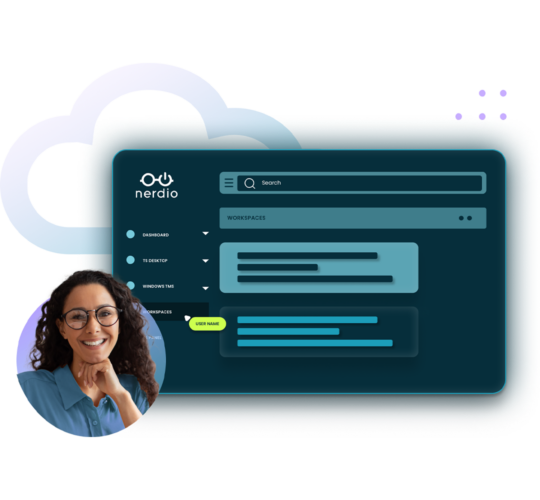
Nerdio dashboard, blue and purple cloud outline, circular image of woman with glasses

Optional Eyebrow

"Header" module with blue

Optional Text. Note the "Eyebrow" can be set as the h1 if desired. See image notes for tips on image size.

Optional Eyebrow

"Stacked Header" module

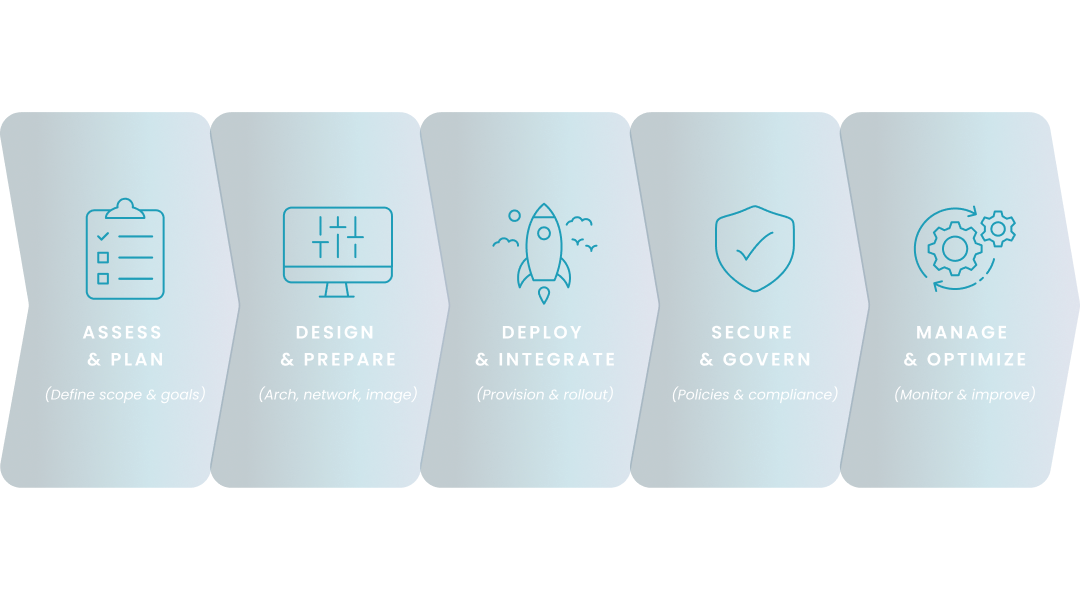
Optional Text. Note the "Eyebrow" can be set as the h1 if desired. See image notes for tips on image size.

Key steps in planning a Windows 365 deployment include Assess Your Current IT Environment, Define User Personas and Cloud PC Requirements, and Set Clear Deployment Goals and Success Metrics

Optional Eyebrow

"Mini Header" module

Optional Text. Note the "Eyebrow" can be set as the h1 if desired.

Optional Eyebrow

"Mini Header" module with image

Optional Text. Note the "Eyebrow" can be set as the h1 if desired.

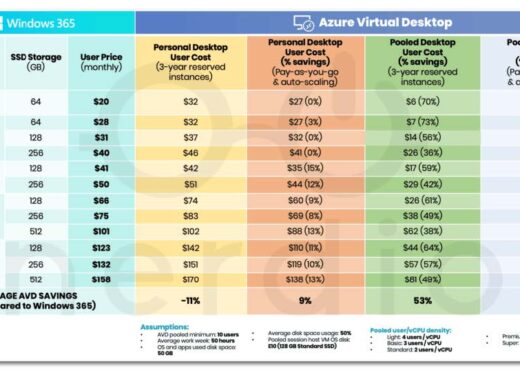
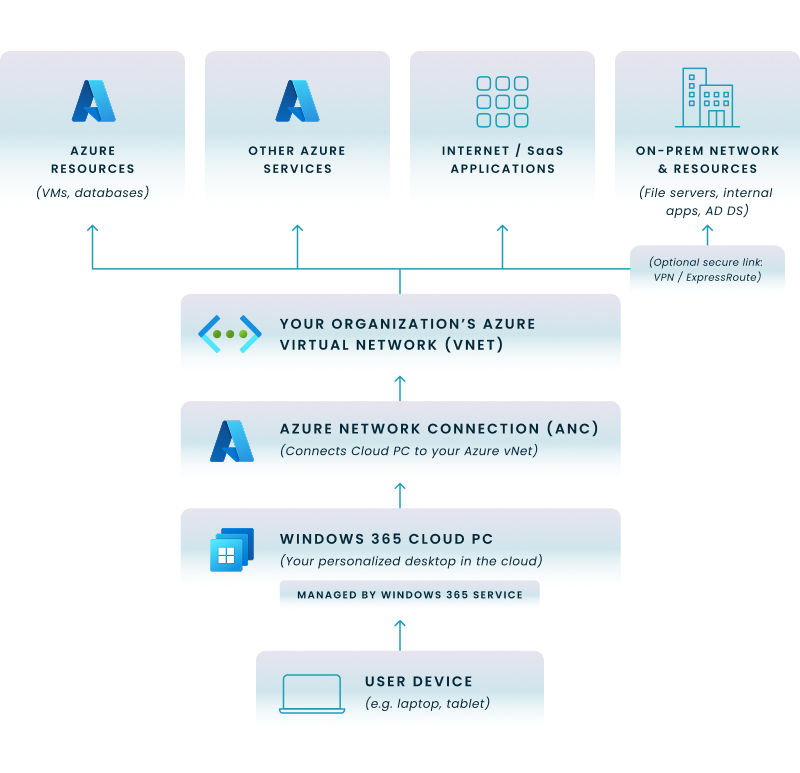
Image source: Microsoft

Key steps in planning a Windows 365 deployment include Assess Your Current IT Environment, Define User Personas and Cloud PC Requirements, and Set Clear Deployment Goals and Success Metrics

Optional Eyebrow

"SEO Header" module

This is a good option when you want a wider hero image. There is a toggle to not display the date if used on non-SEO pages. 


"Customer Story Hero" module

Lorem ipsum dolor sit amet, consectetur adipiscing elit. Nunc, luctus leo et etiam tristique sollicitudin elit leo proin. Vitae libero. Lorem ipsum dolor sit amet, consectetur adipiscing elit. Nunc, luctus leo et etiam tristique sollicitudin elit leo proin. Vitae libero.
Intro modules

These modules are usually used to set up a page after the hero.

"Intro Text" module

Optional Text goes here. You can choose to left align or center align the module. It is available in 3 different background colors.

"Table of Contents" module

This is only available with a white background and is really only used on SEO pages, but might be used if you are creating a guide in the Resource Center. You can add items to the left hand side and create anchor links to various sections.


Text modules

Here are all the various ways you can display content on a page. Most are available in 3 different background colors.

Optional eyebrow

"Text Media" module

This is a very common way to display content on an informational page. You can choose which side you want the image on under Layout.

  1. Bullet 1 
  2. Bullet 2

Optional eyebrow

"Text Media" module

This is a very common way to display content on an informational page. 

  • Bullet 1 
  • Bullet 2

"Text" module

This is the most flexible of modules but is really only used on SEO pages, blog posts, customer stories, etc. where you need a larger block of copy. You can choose to align the text left or centered. Most often blocks of copy are left-aligned. On the SEO pages, we have updated the headline styles and added a setting to make the margins not as wide. Eventually we can roll this out to other post types.

This is an h2 which you would use for a section headline.

This is the "paragraph" style.

Here is an example of what bullets look like:

  • Bullet 1
    • If needed
    • If needed
    •  
  • Bullet 2
  • Bullet 3

Here is an example of what a numbered list looks like:

  1. Bullet 1
  2. Bullet 2
  3. Bullet 3

This is an h3 which you would use for a sub-section headline.

This is an h4 which you would use if you needed a headline for a subsection below the h3 headline.

You can also insert an image by selecting "Add Media" above. You can choose the size (most often full width and centered" by clicking on the edit symbol.
 

"Cards" module

This can be used with and without icons or images.

Card headline

Descriptive text - you can choose how many columns you want in the Layout section. Most common is 3 column but it will depend on how many items you have.

Card headline

Descriptive text - you can choose how many columns you want in the Layout section. Most common is 3 column but it will depend on how many items you have.

Card headline

Descriptive text - you can choose how many columns you want in the Layout section. Most common is 3 column but it will depend on how many items you have.


Card headline

Descriptive text - you can choose how many columns you want in the Layout section. Most common is 3 column but it will depend on how many items you have.

Card headline

Descriptive text - you can choose how many columns you want in the Layout section. Most common is 3 column but it will depend on how many items you have.

Card headline

Descriptive text - you can choose how many columns you want in the Layout section. Most common is 3 column but it will depend on how many items you have.

Optional CTA

Card headline

Descriptive text - you can choose how many columns you want in the Layout section. Most common is 3 column but it will depend on how many items you have.

Card headline

Descriptive text - you can choose how many columns you want in the Layout section. Most common is 3 column but it will depend on how many items you have.

"CTA Band" module

Note there are multiple variations of this. We will be creating a place where all "promos" can be managed and then you would just add a module and select which promo to add to the page.

"CTA Band" module - full width

Short text to promote something goes here. This option uses the cloud.

"CTA Band" module - full width

Short text to promote something goes here. This option uses the glasses

"CTA Band" module - contained

Short text to promote something goes here. This option takes an image.

"CTA Band" module - contained

Short text to promote something goes here. This option uses the glasses

"Promotion with bullets" module

Optional text here


  • Bullet

  • Bullet

  • Bullete

"Customer Story" modules

"Customer Stats" module

This is used in conjunction with the Customer Story hero module. It will overlap the hero when used.

25 %

Text

50 X

Text

25 %

Text

"Customer Overview" module

CTA text goes here?

CTA

Challenge

  • Lorem ipsum dolor sit amet, consectetur adipiscing elit. Morbi sit amet lorem in eros posuere convallis sit amet et diam.
  • Curabitur sed purus suscipit, molestie diam vitae, sollicitudin mi. Fusce tincidunt lectus vitae urna euismod efficitur. Proin in convallis orci. Lorem ipsum dolor sit amet, consectetur adipiscing elit.

  • Nulla viverra rhoncus sem, vel consequat mi scelerisque eu. Nullam eu est a mi hendrerit suscipit. Pellentesque habitant morbi tristique senectus et netus et malesuada fames ac turpis egestas.

Solution

  • Lorem ipsum dolor sit amet, consectetur adipiscing elit. Morbi sit amet lorem in eros posuere convallis sit amet et diam.
  • Curabitur sed purus suscipit, molestie diam vitae, sollicitudin mi. Fusce tincidunt lectus vitae urna euismod efficitur. Proin in convallis orci. Lorem ipsum dolor sit amet, consectetur adipiscing elit.

  • Nulla viverra rhoncus sem, vel consequat mi scelerisque eu. Nullam eu est a mi hendrerit suscipit. Pellentesque habitant morbi tristique senectus et netus et malesuada fames ac turpis egestas.

"Logo Ticker" module

This overlaps the module above.

"Stats" module - full width

Lorem ipsum dolor sit amet, consectetur adipiscing elit. Nunc, luctus leo et etiam tristique sollicitudin elit leo proin. Vitae libero.

  • Metric 1
    Lorem ipsum
  • Metric 2
    Lorem ipsum
  • Metric 3
    Lorem ipsum
  • Metric 4
    Lorem ipsum

"Stats" module - contained

Lorem ipsum dolor sit amet, consectetur adipiscing elit. Nunc, luctus leo et etiam tristique sollicitudin elit leo proin. Vitae libero.

  • 0,1234
    nunc luctus leo et
  • 0,1234
    nunc luctus leo et
  • 0,1234
    nunc luctus leo et
  • 0,1234
    nunc luctus leo et

"Quote" module

This can be a carousel with multiple quotes or not.

Quote goes here

Optional Name

Optional Title

Quote goes here

Optional Name

Optional Title

"Testimonial Slider" module

In nisi leo feugiat vitae velit sit amet, pharetra suscipit arcu.

View all customer stories

Nunc, luctus leo et etiam tristique sollicitudin elit leo proin. Vitae libero

Primary button

Lorem ipsum dolor sit amet, consectetur adipiscing elit. Nunc, luctus leo et etiam tristique sollicitudin elit leo proin. Vitae libero.

Name, Title
Company

30K

Dolor sit amet consectetur. Dictumst morbi ornare.

40k

lorem ipsum

Nunc, luctus leo et etiam tristique sollicitudin elit leo proin. Vitae libero

Primary button

Lorem ipsum dolor sit amet, consectetur adipiscing elit. Nunc, luctus leo et etiam tristique sollicitudin elit leo proin. Vitae libero.

Name, Title
Company

Nunc, luctus leo et etiam tristique sollicitudin elit leo proin. Vitae libero

Primary button

Lorem ipsum dolor sit amet, consectetur adipiscing elit. Nunc, luctus leo et etiam tristique sollicitudin elit leo proin. Vitae libero.

Name, Title
Company

30K

Dolor sit amet consectetur. Dictumst morbi ornare.

543

Dolor sit amet consectetur. Dictumst morbi ornare.

Nunc, luctus leo et etiam tristique sollicitudin elit leo proin. Vitae libero

Primary button

Lorem ipsum dolor sit amet, consectetur adipiscing elit. Nunc, luctus leo et etiam tristique sollicitudin elit leo proin. Vitae libero.

Name, Title
Company

30K

Dolor sit amet consectetur. Dictumst morbi ornare.

543

Dolor sit amet consectetur. Dictumst morbi ornare.

Nunc, luctus leo et etiam tristique sollicitudin elit leo proin. Vitae libero

Primary button

Lorem ipsum dolor sit amet, consectetur adipiscing elit. Nunc, luctus leo et etiam tristique sollicitudin elit leo proin. Vitae libero.

Name, Title
Company

30K

Dolor sit amet consectetur. Dictumst morbi ornare.

543

Dolor sit amet consectetur. Dictumst morbi ornare.

Nunc, luctus leo et etiam tristique sollicitudin elit leo proin. Vitae libero

Primary button

Lorem ipsum dolor sit amet, consectetur adipiscing elit. Nunc, luctus leo et etiam tristique sollicitudin elit leo proin. Vitae libero.

Name, Title
Company

30K

Dolor sit amet consectetur. Dictumst morbi ornare.

543

Dolor sit amet consectetur. Dictumst morbi ornare.

Miscellaneous


Optional Eyebrow

"Accordion" module

This is most often used for FAQs. Right now it only exists in white. If you want to break things up, you can use the divider module that you see right above this.


"Chart" module

Optional intro text goes here. You can make a table with or without a heading. This only exists on white right now.

Column 1 Heading

Column 2 Heading

Column 3 Heading

Column 4 Heading

Row 1 content

Row 1 content

Row 1 content

Row 1 content

Row 2 content

Row 2 content

Row 2 content

Row 2 content

test

test

item1

item 2

item 3

item4iiiiiiiiiiiiiiiiiiiiiiiiiiiiiiiiiiiiiiiiiiiiiiiiiiiiiiiiiiiiiiiiiiii

item 5

item  6

"Autotabs" module

In nisi leo feugiat vitae velit sit amet, pharetra suscipit arcu.

Primary button

Lorem Ipsum

Lorem ipsum dolor sit amet, consectetur adipiscing elit. Nunc, luctus leo et etiam tristique sollicitudin elit leo proin.

Lorem Ipsum

Lorem ipsum dolor sit amet, consectetur adipiscing elit. Nunc, luctus leo et etiam tristique sollicitudin elit leo proin.

Lorem Ipsum 2

Lorem ipsum dolor sit amet, consectetur adipiscing elit. Nunc, luctus leo et etiam tristique sollicitudin elit leo proin. 2

"Media Tabs" module

In nisi leo feugiat vitae velit sit amet, pharetra suscipit arcu.

Lorem ipsum

Lorem ipsum dolor sit amet, consectetur adipiscing elit. Nunc, luctus leo et etiam tristique sollicitudin elit leo proin. Vitae libero.

  • Test
  • One
    • Two

"Resources" module

This module is often put at the bottom of a page to give a user more options to get related content. You can pick a category or select resources manually.

Primary button

Nunc luctus leo

"Text Form" module

Lorem ipsum dolor sit amet, consectetur adipiscing elit. Nunc, luctus leo et etiam tristique sollicitudin elit leo proin. Vitae libero. Lorem ipsum dolor sit amet, consectetur adipiscing elit.

H6 Pellentesque purus auctor nulla facilisis vitae feugiat purus. Iaculis cursus nunc id aliquam arcu. Tortor urna neque

  1. Test
  2. Cue sollicitudin elit leo proin. Vitae libero. Lorem ipsum dolor sit amet, consectetur adipiscing elit.
Nunc luctus leo

"Pricing Cards" module

Nunc, luctus leo et etiam tristique sollicitudin elit leo proin. Vitae libero.
Yearly Monthly

Lorem ipsum dolor

Lorem ipsum dolor sit amet. Nunc, luctus leo et etiam tristique sollicitudin elit leo proin. Vitae libero.
See full features

"Features Table" module

$6 per AVD user/mo

$10 per AVD user/mo

Physical Endpoints

$1 per user/mo

Windows 365

$3 per W365 user/mo

Azure Virtual Desktop

Core

$6 per AVD user/mo

Premium

$10 per AVD user/mo

Platform
Checkmark
Checkmark
Checkmark
Checkmark
Checkmark
Checkmark
Checkmark
Checkmark
Checkmark
Checkmark
Checkmark
Checkmark
Checkmark
Checkmark
Checkmark
Checkmark
Checkmark
Checkmark
Checkmark
Checkmark
Checkmark
Checkmark
Checkmark
Checkmark
Unified Endpoint Management
Checkmark
Checkmark
Checkmark
Checkmark
Checkmark
Checkmark
Checkmark
Checkmark
Checkmark
Checkmark
Checkmark
Checkmark
Checkmark
Checkmark
Checkmark
Checkmark
Checkmark
Checkmark
Checkmark
Checkmark
Checkmark
Checkmark
Checkmark
Checkmark
Unified Application Management
Checkmark
Checkmark
Checkmark
Checkmark
Checkmark
Checkmark
Checkmark
Checkmark
Checkmark
Checkmark
Checkmark
Checkmark
Checkmark
Checkmark
Checkmark
Checkmark
Checkmark
Checkmark
Checkmark
Checkmark
Checkmark
Checkmark
Checkmark
Checkmark
Monitoring & Analytics
Checkmark
Checkmark
Checkmark
Checkmark
Checkmark
Checkmark
Checkmark
Checkmark
Checkmark
Checkmark
Checkmark
Checkmark
Checkmark
Checkmark
Checkmark
Checkmark
Checkmark
Checkmark
Checkmark
Checkmark
Checkmark
Checkmark
Checkmark
Checkmark
Cloud Desktop Management
Checkmark
Checkmark
Checkmark
Checkmark
Checkmark
Checkmark
Checkmark
Checkmark
Checkmark
Checkmark
Checkmark
Checkmark
Checkmark
Checkmark
Checkmark
Checkmark
Checkmark
Checkmark
Checkmark
Checkmark
Checkmark
Checkmark
Checkmark
Checkmark
Cost Optimization
Checkmark
Checkmark
Checkmark
Checkmark
Checkmark
Checkmark
Checkmark
Checkmark
Checkmark
Checkmark
Checkmark
Checkmark
Checkmark
Checkmark
Checkmark
Checkmark
Resilience and Scalability
Checkmark
Checkmark
Checkmark
Checkmark
Checkmark
Checkmark
Checkmark
Checkmark
Reporting and optimization
Checkmark
Checkmark

Ready to get started?